
Case study · Pro bono · 2026
East Hartford Softball
Airtable as the backend for a real website. How a nonprofit youth softball site runs its content, registration, and admin dashboard on Airtable, while the organization and the public never open Airtable once.
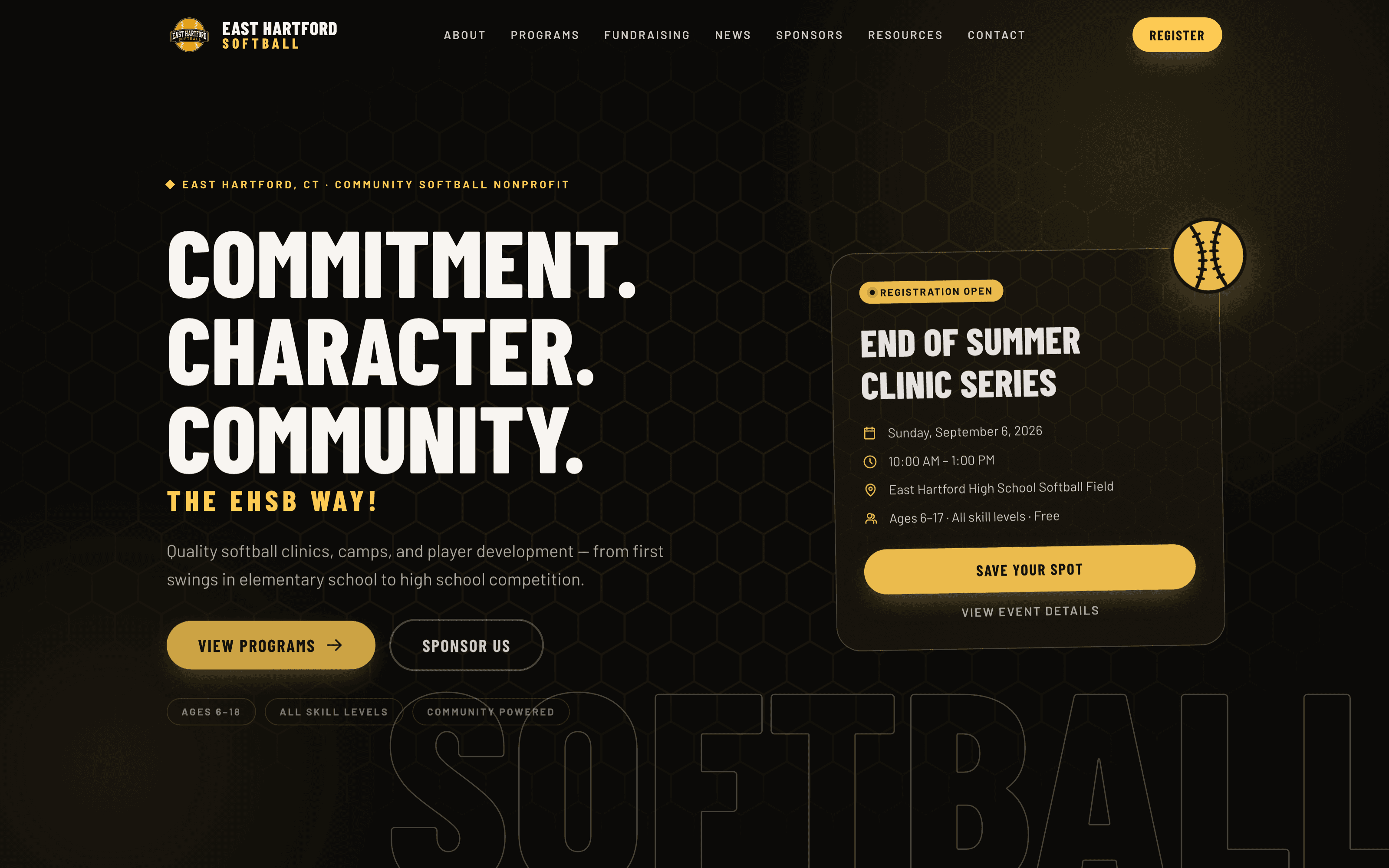
- Framework
- Astro 7 with a few React islands
- Styling
- Tailwind CSS 4, self-hosted Barlow type
- Data
- Airtable (14 tables, one base)
- Auth
- Clerk, invite-only, role-based
- Resend, branded individual sends
- Hosting
- Vercel, static pages + server routes
- Engagement
- Pro bono (comparable build: starting at $20,000)
The project
One site, three audiences, one datastore.
East Hartford Softball is a 501(c)(3) community nonprofit running clinics, camps, and player development for elementary, middle school, and high school players in East Hartford, Connecticut. Before this project they had no website or domain and were managing registration through Google Forms and Google Sheets. The goal was not a marketing site. It was a central digital home that could take registrations, track participation, and let the board run a season without calling a developer, at close to zero recurring cost.
Families (public site)
- Programs, events, calendar, news, sponsors, resources, and contact pages.
- Register a player online: pick dates, get a confirmation email with an add-to-calendar button.
- Static, prerendered pages. Fast, cheap, and nothing private can leak because nothing private is built into them.
The board (admin dashboard)
- Post announcements that banner across every page of the site within a minute.
- Email registered families by event or by a single clinic date.
- See registrations per date and print the clinic-day check-in sheet.
- Invite-only accounts with roles. Every consequential action is logged.
Me (the one person in Airtable)
- Schema, data fixes, exports, and the one-time import from the old Google Form sheet.
- The board never sees Airtable. It is invisible infrastructure.
The choice
I usually reach for Clerk + Convex. Not this time.
Why Airtable won here
- The client thinks in spreadsheets. If I ever hand them direct access, it is already a tool they understand.
- I can fix one record by hand in ten seconds. No admin panel needed for the data itself.
- The whole schema is a script: 14 tables, fields, selects, and links created through the Meta API, idempotent on rerun.
- No database to host, no migrations, no ORM. The free tier carried months of building.
- Volunteer org, zero budget, one developer. Boring and legible beats clever.
What I gave up, and the workaround
- No transactions. Idempotent writes with deterministic IDs, so a retry can never double-create.
- 5 requests per second and a monthly call cap per workspace. Cache reads hard, poll nothing faster than 60 seconds.
- Formula and rollup fields cannot be created by API. Add them by hand, never depend on them in code.
- Select values must match exactly. typecast: true on every write, status vocabulary mapped in one place.
- No realtime. The one live surface (alerts) polls a CDN-cached endpoint.
Architecture
Nobody talks to Airtable except the server.
Public site
- Prerendered at build time
- Reads only through the data-service layer
- Zero Airtable calls per visitor
- Only the alert banner polls a cached endpoint
Admin + API routes
- Server-rendered, gated by Clerk
- /api/register and /api/admin/* endpoints
- Validate, dedupe, write, audit
- Then email, then respond
Airtable
- 14 tables in one base
- Created by a setup script via the Meta API
- Token lives only in server environment variables
- Never imported by a component
The rule that shaped every decision: components never import Airtable or mock data. Every page reads through service functions with stable signatures, so the site ran on sample data for weeks and swapped to live Airtable without touching a single page.
Visitor  ->  Astro page  ->  src/lib/data/*  ->  cache  ->  Airtable
Family   ->  Registration form  ->  /api/register  ->  validate  ->  dedupe  ->  Airtable
Board    ->  Admin dashboard  ->  /api/admin/*  ->  role check  ->  write + audit  ->  Airtable
Schema
14 tables in two families, plus a log.
Public content
What the website renders, filtered on Published or Active.
- Programs
- Events
- Locations
- Announcements
- News
- Sponsors
- Sponsorships
- Documents
- Board Members
- Site Settings
Private people data
Never in a static bundle, never on a public page.
- Guardians
- Participants
- Registrations
- Attendance
System
A record of who did what, when.
- Audit Log
Conventions that keep the code small: every public table has a Slug and a Published or Active checkbox. Human select labels in Airtable (“Almost Full”, “Opens Soon”) map to a fixed status vocabulary in exactly one place per table. Nothing fictional ever enters the people tables. Sample families live only in the mock layer used for the design preview.
Events is the table the whole site hangs off. A series is one record with many session dates, stored one ISO date per line. Dates and times are strings end to end, formatted in one utility so UTC never shifts a day. Capacity, age range, and cost drive the registration rules, and an external URL field lets a community event link out and skip the on-site form entirely. On the private side, links point child to parent, so records are created in order: guardian, then participant, then registration. Per-date rosters and counts come straight from the dates-attending field. No join table per date.
The write path
One registration, eight Airtable calls, zero duplicates.
The registration form is the only public page that writes to Airtable. It posts to a server route. Nothing in the browser knows Airtable exists.
- 1
Validate on the server
Required fields, email shape, ISO date, age within the event range, at least one future date, waiver accepted. A honeypot field catches bots.
- 2
Guardian: find by email, then update or create
A case-insensitive email lookup with one max record. Latest contact info wins. Blank optionals are omitted so a light resubmit never erases data.
- 3
Participant: find by name and date of birth
First name, last name, and DOB form the dedupe key. The participant is linked to its primary guardian.
- 4
Event: resolve by slug, or stub it
Site content may still be sample data. A Published = false stub keeps the link valid without surfacing anywhere public.
- 5
Registration ID = event slug + participant record ID
Deterministic, so a resubmit finds the existing row and merges the dates attending instead of creating a second registration.
- 6
Audit, then email, then respond
Write the Audit Log row, await the confirmation email (Vercel freezes the function after the response), and only then return 200 to the browser.
Decisions worth stealing
Small rules that removed whole classes of bugs.
Idempotent everything
Deterministic IDs for registrations and attendance. Re-running an import or double-clicking submit is harmless. The same dedupe path serves the website form and the one-time import from the old Google Form sheet.
Age locks at the first session date
Session 1 (ages 6 to 10) or Session 2 (ages 11 to 17) is computed once from the date of birth against the first session date. No mid-series bumps on birthdays. A human can move a player; the software never will.
Dates attending as a newline list
One long-text field per registration instead of a per-date join table. Per-date rosters, email lists, and counts are a split() away. Merges on resubmit are a set union.
typecast: true, always
Selects like Status and Session are written as plain strings and Airtable resolves the option. New option values appear without a schema deploy. The vocabulary lives in one map per table.
Roles and the audit trail
The board gets a dashboard. Airtable gets a record of everything.
Dashboard, not a database
- Clerk handles invite-only sign-in. Roles live in user metadata: superadmin, admin, editor, check-in, viewer.
- Each admin page and API route checks one capability. Navigation hides what you cannot do; the server enforces it anyway.
- Every write goes through /api/admin/* on the server: announcements, invites, broadcast emails, registrations.
- Airtable’s own UI, sharing, and views are never part of the board’s workflow. One person holds the token.
Audit Log table
- Summary (one human sentence), When, Actor Id, Actor Name, Actor Role, Action key, Entity Type, Entity Id, Details JSON.
- Written for registrations, check-ins, announcements, message sends, invites, and account changes.
- Never throws: an audit failure logs to the console and the action still succeeds.
- Read only from a superadmin maintenance view. Kids’ data deserves an answer to “who did what, when.”
Reads and the quota
Cache like every call costs money. Because it does.
How reads are budgeted
- Public pages read once at build time. A visitor costs zero Airtable calls.
- Server reads use an in-memory cache per table with a TTL: 60 seconds for people data, 5 to 15 minutes for content, an hour for locations and board.
- Find-or-create lookups are deliberately uncached. A stale cache is how you create duplicates.
- Polled endpoints get an in-memory TTL and a CDN s-maxage, so most polls never reach the function.
- 429s: retry twice with backoff, then fail. A billing-limit 429 is never retried.
The lesson from launch week
- The alert banner polled every 30 seconds from every open tab against an endpoint with a 15-second cache.
- That exhausted the workspace’s monthly API allowance in two days. Every call, including registration, returned 429.
- Worse: the read loop retried 429s forever, so each poll spun until the function timed out. Every spin was another counted call.
- Fixed the same morning: bounded retries, a quota-aware error that returns an honest 503 to families, a 60-second cache, and a 60-second poll that skips hidden tabs.
- Know your plan’s limit before launch. Treat every list call as a budget line.
Privacy by construction
Private data cannot leak from pages that never contained it.
- Public pages are prerendered and only ever read the content tables. People tables are not reachable from any static page.
- Admin pages opt out of prerendering and render per request behind the auth middleware.
- The Airtable token and base ID exist only in server environment variables. No component or client script can import the client module.
- People-data reads are gated on credentials being present, never on a mock-data flag, so sample families can never appear in production admin.
- Confirmation and broadcast emails are individual sends. Parents never see each other’s addresses.
- Photos of players appear only with a signed media release, and the release choice is a required field on every registration.
What the board sees
Never a spreadsheet.
The dashboard shows the season at a glance: events, registration counts, and active announcements. Registrations are rendered the way a volunteer needs them, filtered by event, showing who is coming on which date with the session assigned automatically from the player’s age. Announcements and family messages are the two writes the board makes daily. Both post to server routes that check the user’s capability, write the record with typecast, append an Audit Log row, and return. The board never learns what a record ID is. On clinic day, the check-in page lists everyone registered for that date with emergency contacts and blank walk-in rows, and prints a binder sheet gated exactly like the admin.
Board Admin Guide (PDF)
The six-page guide I wrote for the EHSB Board of Directors. It covers everything the board can do on the admin, with no tech background needed. Download it to see how the platform is explained to the people who use it every week.
- Getting in for the first time (invite-only access)
- Posting an announcement and which types take over the website
- Emailing registered families by event or by date
- Registrations, players, and clinic-day check-in sheets
- What Joseph handles for the board
Read the full deck
The Airtable case study, in slides.
Airtable as the Backend for a Real Website (PDF)
An educational deck that walks through everything on this page in more depth, with screenshots of the live site, the admin dashboard on sample data, and the Airtable base itself: the schema, the write path, the quota lesson, roles and the audit trail, and when Airtable beats a conventional database. Nothing in it is for sale.
Picking the backend
When I would still choose Convex + Clerk, and when Airtable wins.
Convex + Clerk
- Realtime UI, high write volume, or many people editing the same records at once.
- Complex relations, transactions, and server functions that must be atomic.
- A product team that will iterate on the data model weekly.
- When nobody non-technical ever needs to open the raw data.
Airtable
- Content plus forms plus a small team who thinks in spreadsheets.
- Event production, planning, and registration: stable, human-readable data shapes.
- You want the client to be able to inherit the data without you.
- Low budget, one developer, and you will design around API limits and idempotent writes.
Honest take: I expected Airtable to be the compromise on this build. It ended up being the reason a volunteer organization can run a season without calling me.
What a build like this costs
Donated here. Normally an engagement starting at $20,000.
This project was built pro bono, but it is not a template site. It is a custom platform with its own backend, a permissioned admin application, an email pipeline, and the documentation to hand it all off. For a client, I typically scope this kind of build starting at $20,000, scaling with how much of the admin tooling and integration work is needed. Here is what drives that number.
Custom backend and data layer
A 14-table Airtable schema created by script, a server-only data-service layer, idempotent registration writes with deduping, cached reads budgeted against API quotas, and a one-time migration from the old Google Form sheet.
Admin dashboard with roles
Invite-only sign-in, five roles, capability checks on every page and API route, site-wide alert banners, per-event and per-date family messaging, check-in rosters, and printable clinic-day sheets.
Transactional email and audit trail
Branded confirmation emails with add-to-calendar, individual broadcast sends so parents never see each other’s addresses, and an audit log of every consequential action.
Public site, design system, and documentation
A full brand-driven public website with motion and accessibility considerations, plus a written admin guide and a case-study deck so the organization can run the season without a developer.
A brochure site with a contact form is a fraction of that. The cost is in the parts the board uses every week: registration that cannot double-book a family, a dashboard that never exposes a child’s data to the public site, and a season that runs without a developer on call.
Questions, or want the walkthrough?
If you want to see the base schema, the setup script, the registration pipeline, or how the admin dashboard is wired, reach out and I will walk through it. Built pro bono for East Hartford Softball, Inc. My daughter plays there. It was the best way I could give back.